

Gain Staging with Pedals
Hi guys! After having conversations with several of my guitarist friends, I thought it might be prudent to talk a little about gain staging with pedals. I made three videos to demonstrate the differences in Compression, Overdrive and Distortion. They all have valid uses, the trick is knowing when to use which! While these videos will be easy for the beginner to understand, there are some useful tidbits even the veteran player might not know, so check it out and I hope you enjoy! Often as players we are looking for the magic pedal that gives us infinite sustain while staying clear and keeping a tone we like. I've found on many occasions that the issue is not which overdrive to use. The issue is that what I wanted was more compression! The extra special sauce that makes electric guitar so fun to play comes from the interaction between the magnetic pickups and the amplifier's pre-amp, power-amp and speakers. Electric guitar amplifiers were originally designed to reproduce the guitar signal as cleanly as possible, but guitarists quickly discovered that when they were pushed beyond clean headroom, the compression and distortion that happened to the sound was very musical. As modern guitar players we have access to thousands of different overdrives and distortions, both of which will add compression and sustain. However I've found in many cases what I actually want is to replicate the compressed, musical sound an amp produces when driven very hard, which usually means very loud! You can recreate some of those qualities at a much more manageable level with a basic compressor pedal. In this case I've chosen a Boss CS-3 Compression/Sustainer because it is simple to use and can be found in most any music store. Gear note- If you are curious as to my signal chain for these videos, it was as follows: My Paul Reed Smith DGT guitar through a 10 foot cable into the Boss CS-3, then into the Ibanez TS808, then into the Boss DS-1 and finally out through another 10 foot cable into the front of my early 1980's Legend Rock N' Roll 50 amplifier. The Legends are hybrid amps, meaning they have tubes in the preamp section with a solid state power section. Notably, this same model amp was what Billy Gibbons of ZZ Top used to record the "Eliminator" record. The amp is then run through a matching Legend 2x12 cabinet with celestion 25 watt greenback speakers and the microphone used was a Shure SM57 directly into Cubase. The reverb on the amp was added in post.
3 Lessons


More like this
 Creating Backing Tracks
Tom Quayle
Hi there guys and welcome to this tutorial on creating backing tracks! We're going to be focusing on how I record my backing tracks with specific reference to the software I use and the plugins used to create...
 Recording With Impulse Responses
Tom Quayle
Hi there guys! Welcome to this months tutorial which is a slight departure from what you were probably expecting. First let me say that "Playing over Changes Part II' is coming your way next month but I wanted...
 In The Style Of Metallica
Chris Feener
Hey everyone! I'm amidst heavy rehearsals for a Metallica tribute gig, so I figured I'd share some insight as to how one would go about achieving Metallica's tone through one's rig, and through one's fingers...
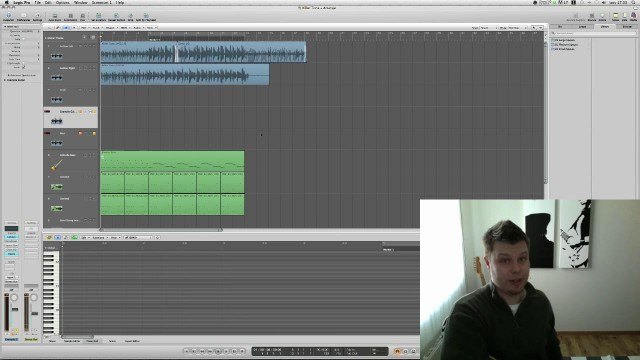 Getting Killer Guitar Tone for FREE
Richard Lundmark
Welcome to this tutorial on Getting Killer Guitar Tone for FREE! The idea for this tutorial sprung from me looking for good software-based tone that would allow me to only bring my guitar and a small laptop to...
 The Basics of Miking an Amp
Steve Hubbard
Hi guys, This tutorial focuses on some basic principles for miking a guitar amp, in both a live, and a studio situation. In each of the following videos, I'll include sound samples, to give you a proper...
 Using Cubase Recording Software
Pavel Denisjuk
Welcome to our first lesson in Cubase. Cubase covers a huge area of recording and editing your audio and MIDI tracks, so I will break it into small lessons and explain it part by part not to make it a boring...