

Using Cubase Recording Software
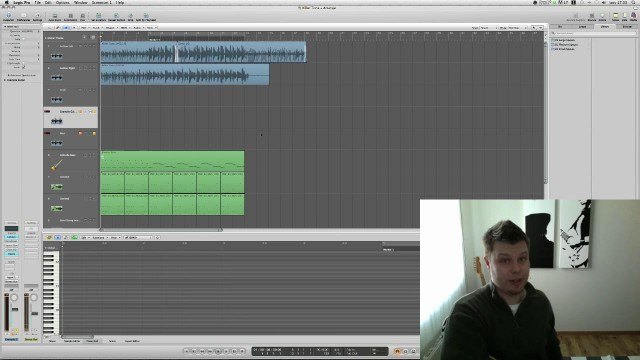
Welcome to our first lesson in Cubase. Cubase covers a huge area of recording and editing your audio and MIDI tracks, so I will break it into small lessons and explain it part by part not to make it a boring 12 hour lesson. Also, this way you can more easily find the topic you need and not scroll through a huge video, but instead click the topic you're looking for. Also, if you don't have Cubase yet, you can check out a starter version here. Lesson 1 is just a general overview of the software and some basic controls we'll be learning and using in the future. If you want to be ready for the next lesson, go ahead and download Asio4All Software, which will help us cover the next lesson in avoiding latency. Latency is basically an unwanted delay in the recording. Rock on and see you in the next lesson on Cubase. Pavel
4 Lessons
-
1
2:51
Lesson · 3m Using Cubase - General Overview
Welcome to our first lesson in Cubase. Cubase covers a huge area of recording and editing your audio and MIDI tracks, so I will break it into small lessons and explain it part by part not to make it a boring...
-
2
 3:06
Lesson · 3m Using Cubase - Latency
Latency is the main problem music producers encounter when recording audio tracks and working with VST instruments. It's an unwanted delay we should get rid of straight away, before we start working with...
-
3
 3:28
Lesson · 3m Using Cubase - MIDI Overview
Greetings! In this chapter we'll go through some general stuff concerning MIDI tracks and you can find some more detailed info at this link MIDI@Wikipedia, and also you can read a bit about this GM...
-
4
 3:53
Lesson · 4m Using Cubase - Working with MIDI
Ok, now when you know some basic stuff about MIDI tracks, let's actually work with them! So to get started you need to create an Empty Project (like in our very first lesson of this tutorial). After that...
More like this
 Creating Backing Tracks
Tom Quayle
Hi there guys and welcome to this tutorial on creating backing tracks! We're going to be focusing on how I record my backing tracks with specific reference to the software I use and the plugins used to create...
 Recording With Impulse Responses
Tom Quayle
Hi there guys! Welcome to this months tutorial which is a slight departure from what you were probably expecting. First let me say that "Playing over Changes Part II' is coming your way next month but I wanted...
 In The Style Of Metallica
Chris Feener
Hey everyone! I'm amidst heavy rehearsals for a Metallica tribute gig, so I figured I'd share some insight as to how one would go about achieving Metallica's tone through one's rig, and through one's fingers...
 Getting Killer Guitar Tone for FREE
Richard Lundmark
Welcome to this tutorial on Getting Killer Guitar Tone for FREE! The idea for this tutorial sprung from me looking for good software-based tone that would allow me to only bring my guitar and a small laptop to...
 The Basics of Miking an Amp
Steve Hubbard
Hi guys, This tutorial focuses on some basic principles for miking a guitar amp, in both a live, and a studio situation. In each of the following videos, I'll include sound samples, to give you a proper...
 Recording Modern Metal
Mike Salow
Hello once again! Before I get into any details, I want to point out that this tutorial is a continuation of my last tutorial, Composing Modern Metal. This time we'll be discussing the concepts and simple...