






What you'll learn
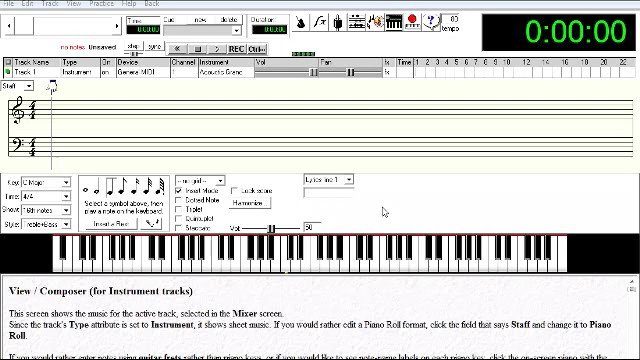
- How to change a track's MIDI instrument from the default acoustic grand piano to options like organs, guitars, strings and saxophones.
- Entering notes with the on-screen piano keys, and switching the Style menu to Guitar to show only the treble clef.
- Picking note and rest values from whole notes down to 64th notes, and checking the triplet box to enter triplets.
- Unchecking insert mode to stack notes into chords instead of pushing later notes forward.
- Creating a new track from File, Track, Create, then playing all the tracks back together.
In this video, we'll cover the basics of creating your first instrument tracks. Each instrument track can have a particular midi instrument assigned to it. As you'll see in the video, there are many instruments to choose from, such as pianos, organs, guitars, strings, saxophones, and much more.
Have fun and when you're ready, head on over to the next video so we can create our first drum track.