
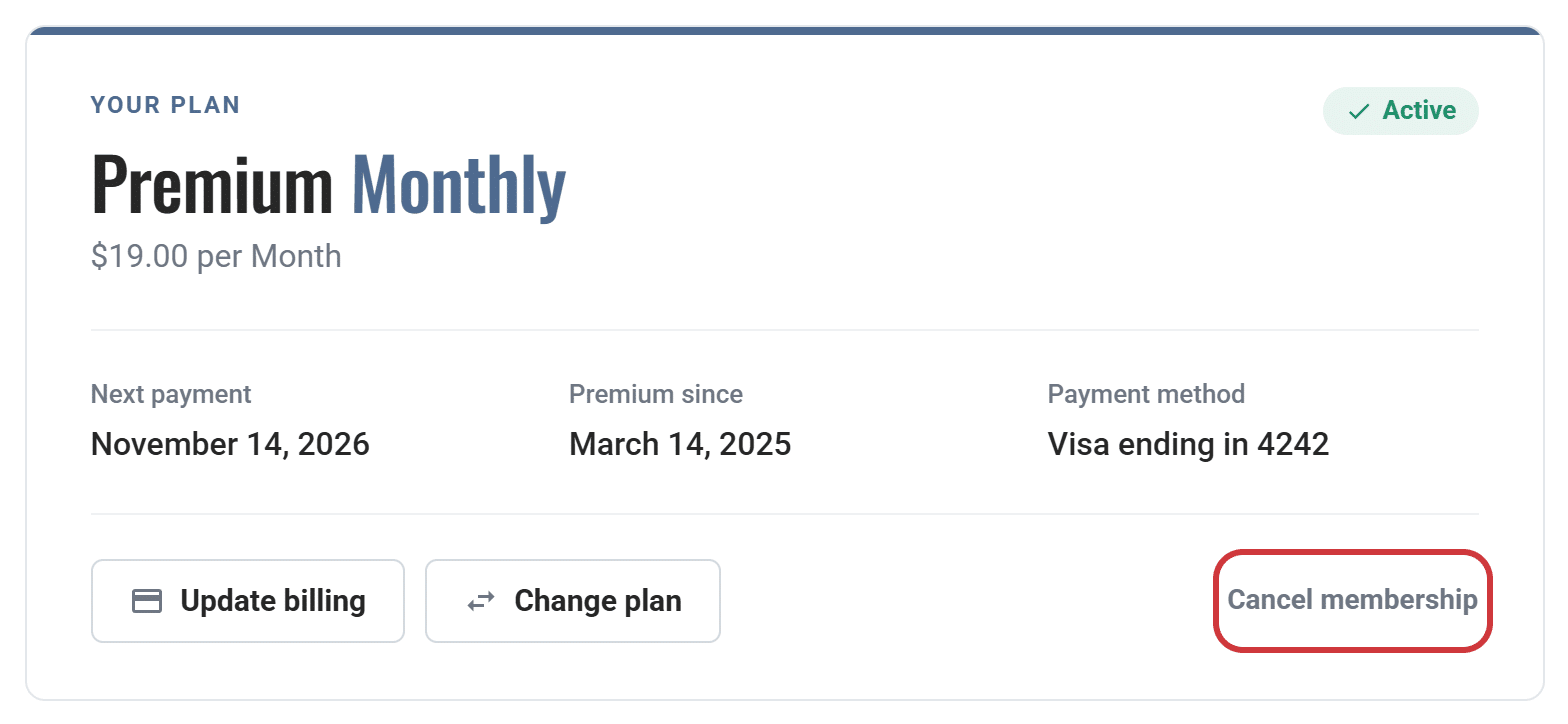
Click your name at the top right of any page, choose Membership, then click Cancel membership.
Confirm on the next page and you’re done.
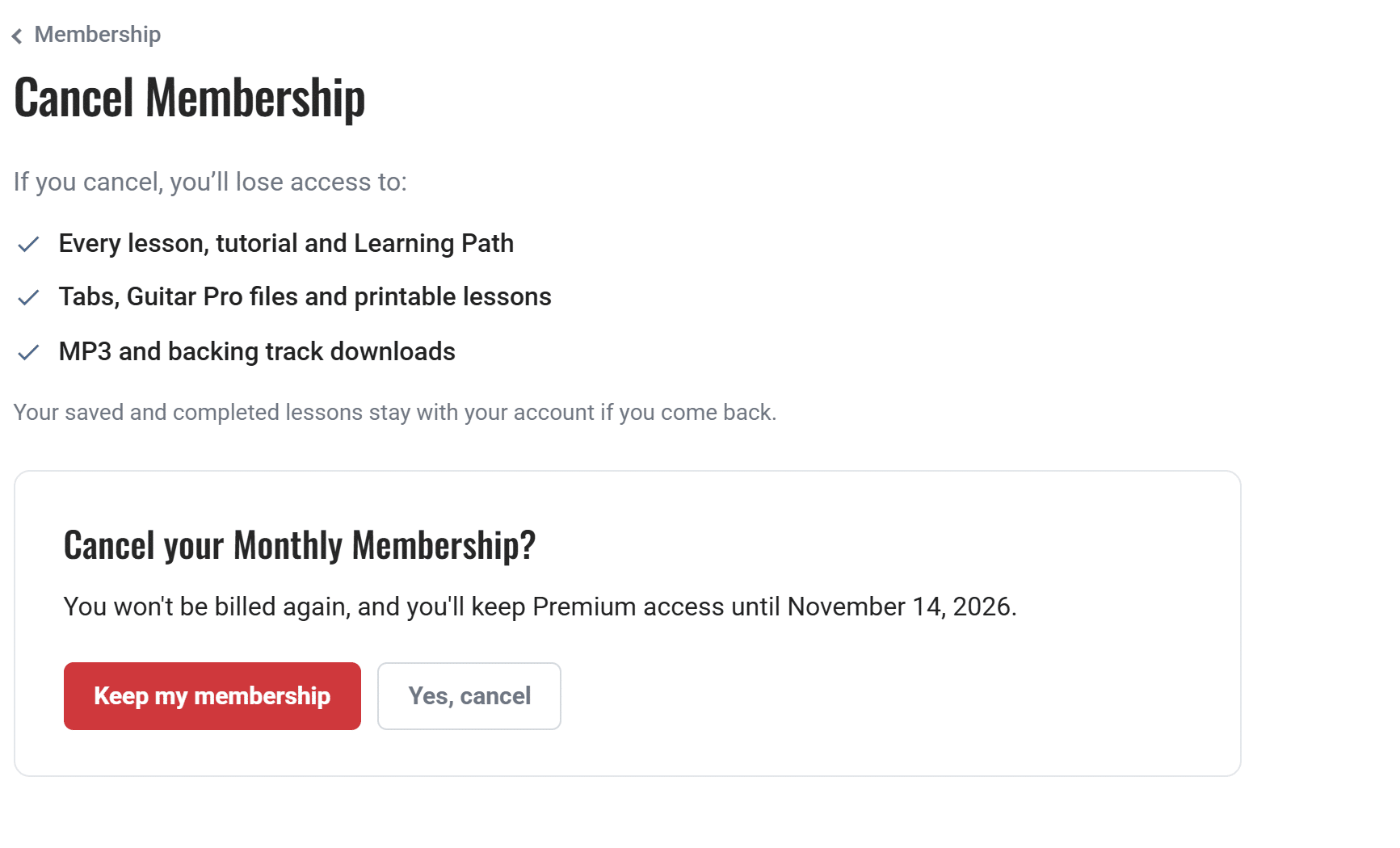
You won’t be charged again, and you keep Premium until the end of the period you’ve already paid for. Your free account stays active, along with your saved lessons and progress, so it’s all still there if you come back.